


The free v1.3 firmware update for Novation’s Circuit groovebox brings exciting new Sample Flip functionality and greater software flexibility. This update, recommended for all users, delivers several feature requests from Circuit’s dedicated owners’ forum, plus a number of usability tweaks that make Circuit one of the most capable music-making platforms on the market.
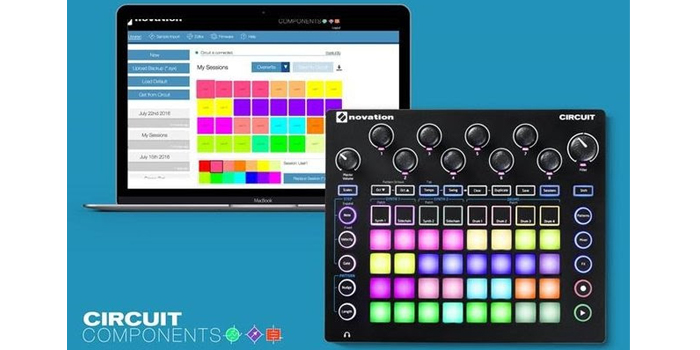
To update your Novation Circuit Firmware simply goto Novation’s Circuit Components; a suite of free tools for Circuit that provides all you need to expand, tweak and create your own personalised instrument.
Sample Flip
This brand new Sample Flip function lets you create multi-sample drum lines on each of Circuit’s drum tracks. In previous versions of Circuit firmware, only one sound could be used on each drum track. Now, you can select a different sample for each step in all four of the drum tracks. So for example, you can have a kick and a snare on ‘Drum 1’, freeing up other tracks for additional instrumentation or sample playback. This totally transforms Circuit’s drum- and sample-programming functionality and opens it up to new styles of music.
Sample Preview
This commonly requested feature lets you play and preview your samples without programming them into a pattern. In the studio, this speeds up the drum-programming process immensely due to the speed at which you can audition sounds. On stage, you can live-play any sample along to your existing drum patterns, using Circuit’s velocity-sensitive pads. Let the finger-drumming commence.
Session Colours & Single Session Backup
Using the Circuit Librarian — part of the Components suite of browser-based tools — you can now change the colour of the LED that represents your Session on the Circuit hardware. This means you can use colours to differentiate styles — pink for house, orange for Techno, for example — or to discern between different sections of your songs: green for intros, purple for main sections, say. Also new with Circuit v1.3 is the facility to manage sessions individually, rather than in a batch of 32.
Sound Management
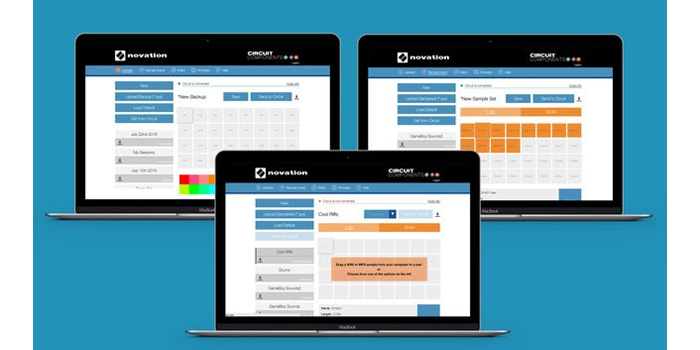
Updates have been made to the Sample Import tool in Circuit Components (more information below). You can now change the placement of your samples so you can, for example, group similar sounds together to make it easier to remember which sample is on which pad. (For example, you could have kick drums on row 1; snares on row 2; vocal snippets on row 3) .
Bug Fixes
A bug relating to the timing of Session switching (leading to the very occasional missed playback of sounds on step one of the proceeding Session) has been fixed. Long samples, which were automatically faded out in prior versions of the Firmware, can now be played in their entirety, providing there is sufficient sample space on the Circuit.
For more information on the Novation Circuit see here
For more information or to update your firmware please visit Novation’s Circuit Components Suite